
Troubleshooting
This page covers the problems people most often meet with Ghostwriter, and what to do about each one.
"No API key yet"
The chosen provider's key isn't set, or the app's config is cached. Add the key to .env, then:
php artisan config:clear
Ghostwriter → Settings lists which keys Ghostwriter can see, as "set" or "not set". If your app's config/ghostwriter.php sets keys, check that each one still reads its variable.
Nothing happens after asking
Model calls run as queued jobs. If nothing has picked a job up after 30 seconds, the page says "Still waiting for a queue worker to pick this up. Is php artisan queue:work --queue=… running?"
- Is a worker running, on the right queue? If
GHOSTWRITER_QUEUEis set, the worker must listen on that queue:php artisan queue:work --queue=ghostwriter,default --timeout=960. - With the
syncdriver, jobs run after the response is sent. That needs PHP-FPM or similar; withphp artisan servethe page waits for the job.
It says "working" and never finishes
A worker that stops a job part-way, because its --timeout ran out or it was restarted, leaves the job marked as working.
- Is the worker's
--timeoutlong enough? It should be at least the time limit × 3 + 60 seconds (960 with the default time limit), since a busy provider is tried again. - Check
storage/logsfor the job's error. - To clear it, run the step again: starting it resets it.
A model call times out
The message says the provider "took longer than 300 seconds". A call that runs past the time limit isn't tried again. Long drafts for big Builder forms can take a while. Raise timeout under settings in config/ghostwriter.php, and the worker's --timeout with it (see The time limit).
"That didn't work"
Shown with the reason, and Try again. The reason is the provider's or Ghostwriter's own. Common ones:
- Did not come back with … it could read: the model's answer was malformed. Try again usually works. If it keeps happening with one model, try another.
- OpenAI image models need verification: see OpenAI.
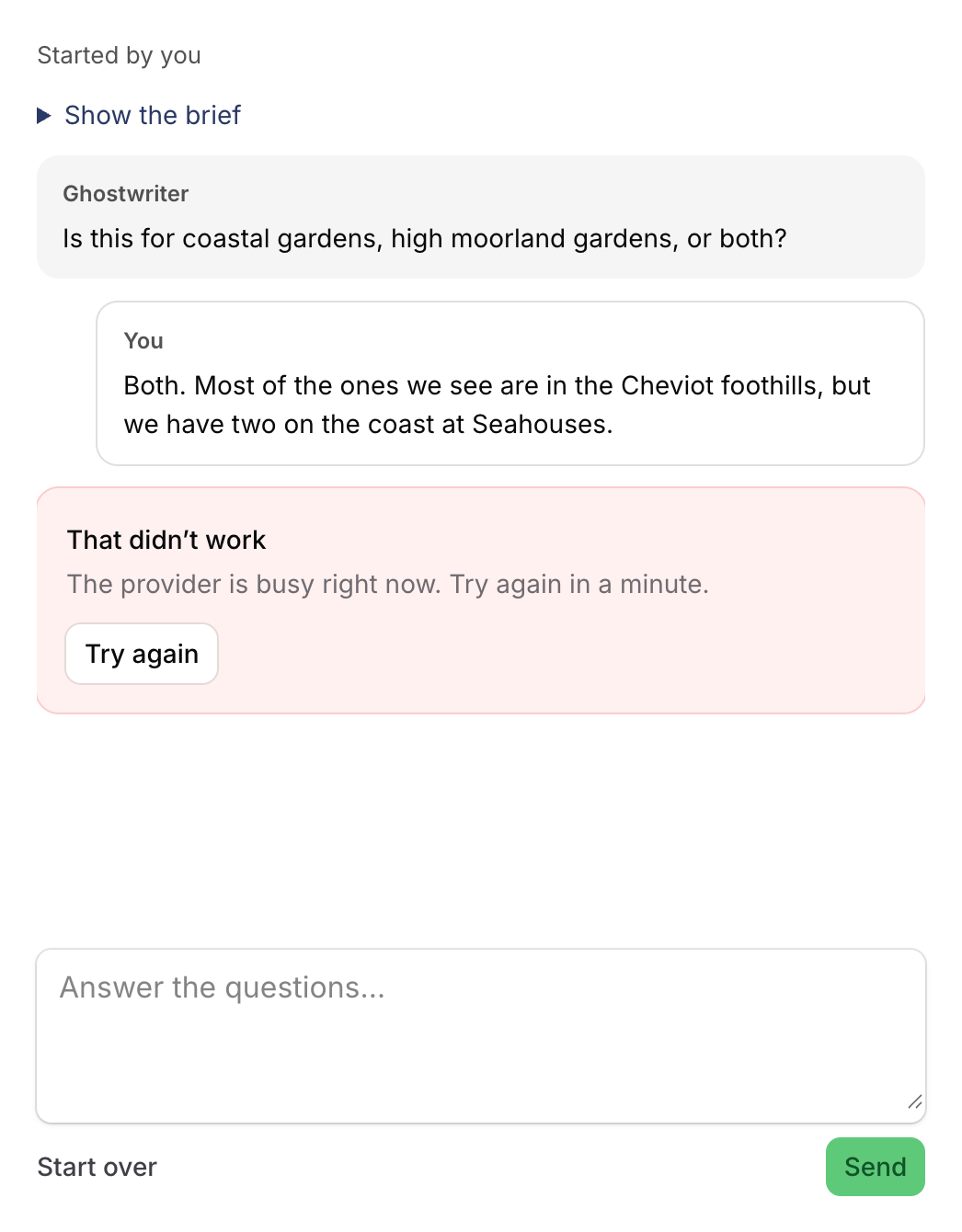
Busy, overloaded or rate limited
Ghostwriter has already tried again up to 3 times, waiting longer each time (see Busy providers and retries). Wait a minute and click Try again. If it keeps happening, check your account's rate limits and credit with the provider.
The draft is put in, but something is missing
The notification after Use this draft lists what's left for you. Relationships, uploads, dates and fields Ghostwriter doesn't know are left for a person. Check your forms in Get started lists what each resource can write, and anything that couldn't be read. See How forms are read.
If the form has changed since Ghostwriter read it, run php artisan ghostwriter:scan.
No Ghostwriter button on an image field
- Does the field accept images? It needs no
acceptedFileTypes(), or at least oneimage/type. - Is it marked
->ghostwriter(false)? - Is
->imageButton(false)set on the plugin? - Is there any way to get an image? With Openverse off, no photo library key and no OpenAI or Gemini key, the button is hidden.
- The rest of The buttons don't appear applies too.
No "Make one" tab
Making an image needs an OpenAI or Gemini key. Claude doesn't make images. Add OPENAI_API_KEY or GEMINI_API_KEY to .env.
Photo search finds little
- Searched for: … shows what was searched. Type your own words if those are odd.
- Add keys for more libraries: Unsplash, Pexels and Pixabay are free (see Free photo libraries). Openverse alone finds only public-domain and CC0 work.
- Write the image style guide, so searches suit your pictures.
"Maya is waiting on Ghostwriter"
With shared conversations, Ghostwriter answers one request at a time. Someone else's request on this piece is running. Wait until it has answered, then send yours.
Seeing what went wrong
Ghostwriter logs each retry and each failed call, with the provider and the error, to log_channel (or the app's default log). See Logging. Look in storage/logs.
"…could not be read. Try again." The model answered in a form Ghostwriter couldn't read. The log says what was wrong ("there was no <kinds> block", "the YAML did not parse at line 3"), but not the reply itself. Trying again usually works. If it keeps happening, perhaps with a prompt you've overridden, set GHOSTWRITER_LOG_REPLIES=true, restart the queue worker, try once more and read the reply in that log entry's context. Then turn it off: the reply holds your app's content.
The buttons don't appear
No "Write with Ghostwriter" on a Create or Edit page.
- Is the resource listed in
->resources([...])where the plugin is registered, on this panel? - Does the page
use WritesWithGhostwriter? If the page defines its owngetHeaderActions(), addGhostwriterAction::make()to it. See Installation. - Does the user have the
useGhostwriterability? See Permissions. - On an Edit page, does the resource's
canEdit()allow it?
Drafts don't look like my records
- Has the voice guide been written? Every draft follows it.
- Teach a kind for what you're writing, and pick good examples.
- Are the right records counting as published? A resource with no published rule learns from every record, drafts included. See Register the plugin on a panel.
The voice guide says there's nothing to read
It reads published records with at least about 400 characters of writing. Publish a few longer records, tick other resources, or check the resources' published rules.
The image style guide skips a resource
A resource needs at least three images (JPEG, PNG or WebP) in its published records to get a section.
Still stuck
Report issues on GitHub, or contact 1994. Include the Laravel, Filament and Ghostwriter versions, and any error from storage/logs.