
Editing an existing record
This page covers changing a record that already exists, in conversation with Ghostwriter. To write a new one, see Writing a new record.
Asking for changes
On a resource's Edit page, click Edit with Ghostwriter. The button shows for people allowed to use Ghostwriter who may also edit the record (the resource's own canEdit()).
The same panel opens, with the record as the draft. It starts from what the form holds now, including anything typed and not yet saved. Ghostwriter says "I have the record as it stands. Tell me what to change." Ask in plain words:
- "Tighten the summary to one sentence."
- "Rewrite the second section for owners rather than developers."
- "Add a short section on maintenance before the conclusion."
It revises the draft and shows it on the right. There you can also change any writing where it's shown, or click Edit YAML.
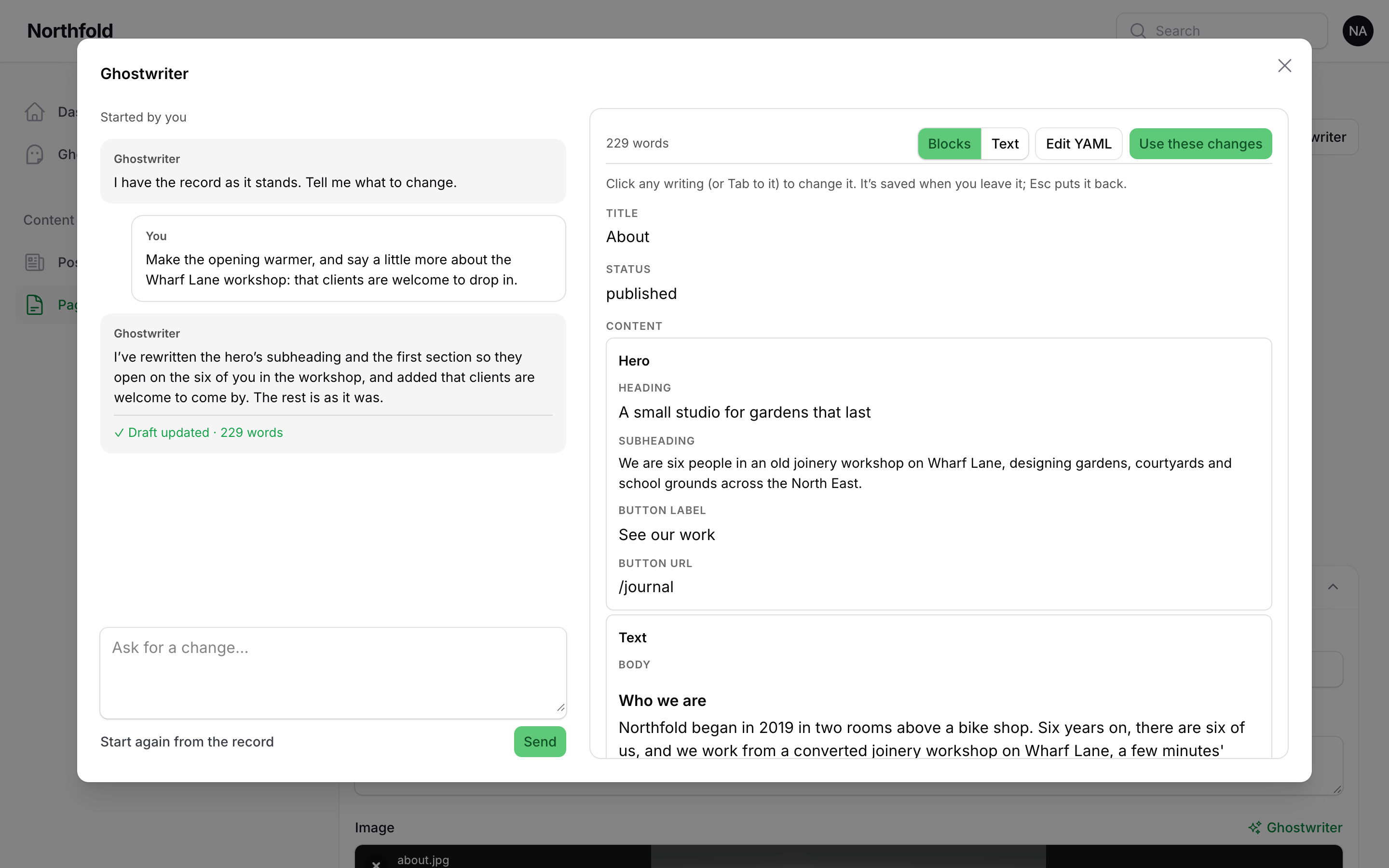
Use these changes
Use these changes puts the revised draft into the form and closes the panel. A notification says "Changes added to the form. Check them over, then save."
- Nothing is saved. Check the form, then click Save changes as usual.
- Blocks you asked to add are added in place, and blocks you asked to remove are removed.
Start again
Start again from the record throws away the changes asked for and not yet used, and starts again from the form as it stands. You're asked first. The conversation is kept.
Coming back
The conversation for each record is kept, and it's the same conversation that wrote it. A record created with Use this draft is linked to its piece when it's saved. So Edit with Ghostwriter shows the brief, the conversation and the draft, and carries on from there.
Opening Edit with Ghostwriter again carries on where you left off, if there are changes you haven't used yet. Otherwise the draft starts again from the record as it is now (it may have been edited by hand since), and the conversation so far stays above it.
Conversations are shared by default, so a colleague opening the record carries on the same conversation. Each message shows who sent it.
What is not changed
Only the writing changes. Text, rich text, and the words inside Builder blocks and Repeater rows are replaced. Everything else is kept as it was:
- images
- relationships and dates
- link fields
- choices and settings Ghostwriter wasn't asked about
- block settings