
Permissions
This page covers who can use Ghostwriter, who manages it, how conversations are shared, and who can delete a piece.
Using Ghostwriter
Ghostwriter adds one permission under Settings → Users → User Groups (or on a user's own permissions): Use Ghostwriter.
People with it see:
- Ghostwriter in the control panel's navigation, with the Overview, Content plan, Voice guide and Image style
- Write with Ghostwriter on new entries, and beside New entry on the entry index, in the sections Ghostwriter writes for
- Edit with Ghostwriter on existing entries in those sections
- the image button on Assets fields
- the Ghostwriter widget, which they can add to Craft's Dashboard
They also share the voice guide, image style guide, kinds of content and content plan, and can change them: edit or rewrite a guide, edit or delete a kind, add, dismiss or delete ideas. These are the writing team's shared tools, like the entries themselves.
Writing into an entry still needs Craft's own permission to save entries in that section. Ghostwriter never lets anyone change an entry they couldn't change by hand.
Managing Ghostwriter
Admins manage Ghostwriter. They can:
- change the settings, on an environment where admin changes are allowed (
allowAdminChanges), like any plugin's settings - choose where it writes, in Get started step 2 (this saves the settings, so it also needs
allowAdminChanges) - hide and show Get started, which works on every environment, since it isn't project config
- delete anyone's piece (see Deleting a piece)
Shared conversations
Every conversation is shared with everyone who has Use Ghostwriter. Everyone's pieces show in:
- Or carry on with, in the writing panel
- In progress, on the Overview, and the widget
- Resume, on the content plan
- Edit with Ghostwriter, on an entry
So a colleague can pick a piece up where you left it.
Each message shows who sent it: "You", or the person's name. "Started by … · last changed by …" shows beside each piece under Or carry on with, on the Overview and in the widget; the panel itself doesn't show it.
Ghostwriter answers one request at a time. While someone's request runs, others see "Maya is waiting on Ghostwriter". They can't send a message or change the draft until it has answered.
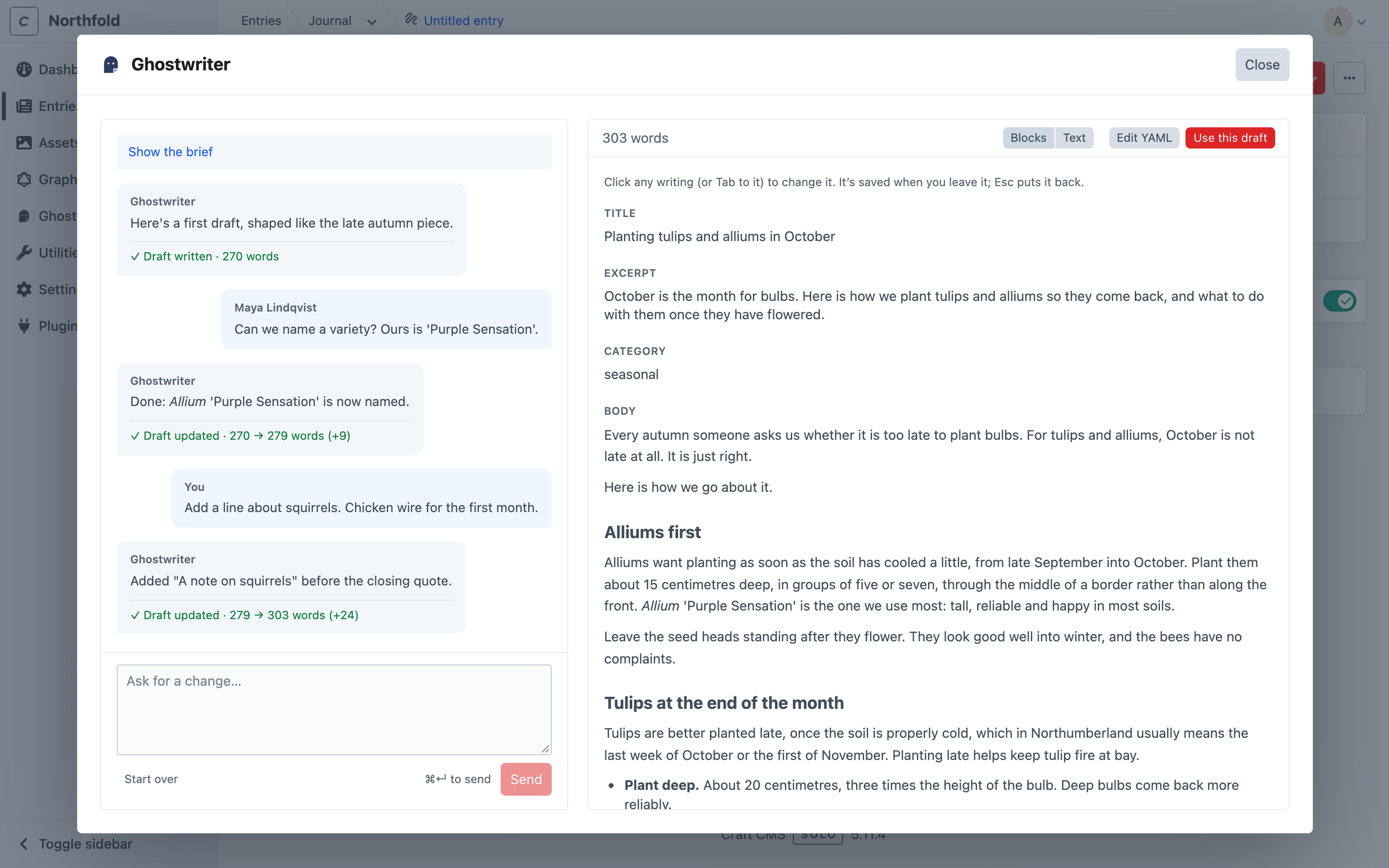
To keep each piece to the person who started it, turn off Share conversations in the settings, or set it in config/ghostwriter.php:
return [
    'sharedConversations' => false,
];
With it off, nobody else sees or opens a piece.
Deleting a piece
With sharing on, only the person who started a piece, or an admin, can delete it with Remove. Others don't see the button, but they can still carry the piece on.
Next: Configuration.