
Content plan
This page covers the content plan: a list of entries the site doesn't have yet, some suggested by Ghostwriter and some added by hand. Each one opens a new entry with Ghostwriter beside it.
Open it from Ghostwriter → Content plan.
Asking what is missing
Under Ask what is missing, tick the sections to plan for, add anything to steer it if you like ("More for owners." "Events."), then click Suggest ideas.
Ghostwriter reads everything in those sections, and what's already on the plan, and suggests entries the site doesn't have. Each idea comes with a working title, why it's worth writing, and notes on the angle, who it's for and what it should say. It asks for eight ideas each time (planSuggestions). It takes a minute or so, and you can leave the page meanwhile. If it finds nothing new, it says "Nothing new to suggest this time."
The suggestions open in a box, Ghostwriter suggests, all ticked. Untick any not worth writing, then:
- Add N to the plan adds the ticked ones. The unticked ones are kept as dismissed, so they aren't suggested again. With none ticked, the button reads Add none, dismiss the rest.
- Drop them all throws the whole batch away without remembering any of it, so the same ideas may come up again.
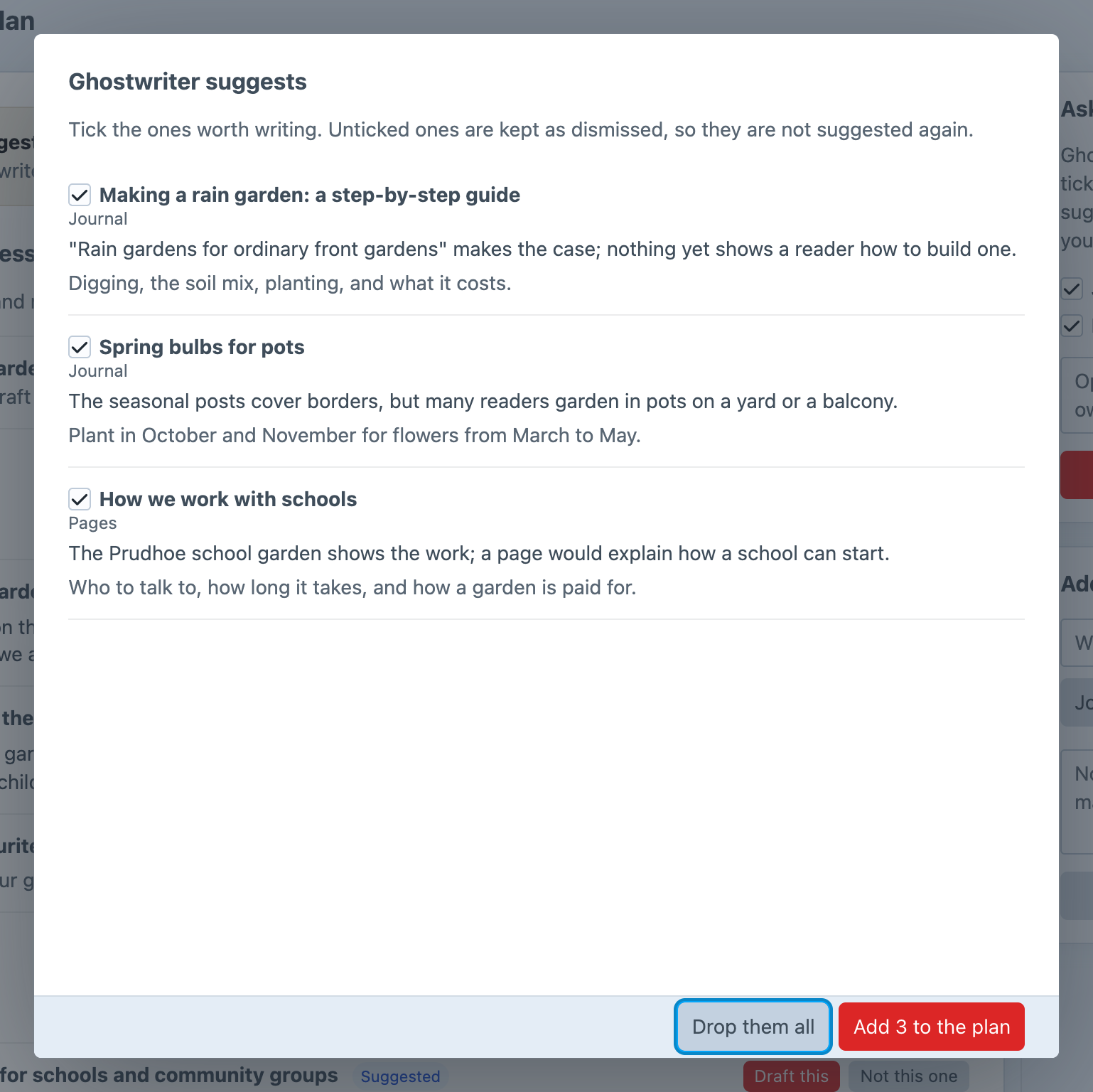
Suggestions waiting
Closing the box keeps the suggestions. A card at the top of the plan says "N suggestions waiting", and Review opens the box again. Only Drop them all throws a batch away.

Adding your own
Under Add your own, give a working title, choose the section, add notes if you like, and click Add to the plan.
The list
- In progress comes first ("Started, and not yet saved as an entry."): ideas whose piece has been started. Each shows where it has got to: Ghostwriter is writing, Waiting on your answers, Draft ready to use, In the entry, not saved or Something went wrong last time, with who started it, Resume and Back to ideas.
- Open ideas follow, grouped by section, newest first, with how many there are to write. Ideas Ghostwriter suggested are marked Suggested, and an idea for one of your kinds shows the kind.
- Finished and dismissed ideas are folded away at the bottom. Show N finished and dismissed opens them, and Hide finished and dismissed folds them again.
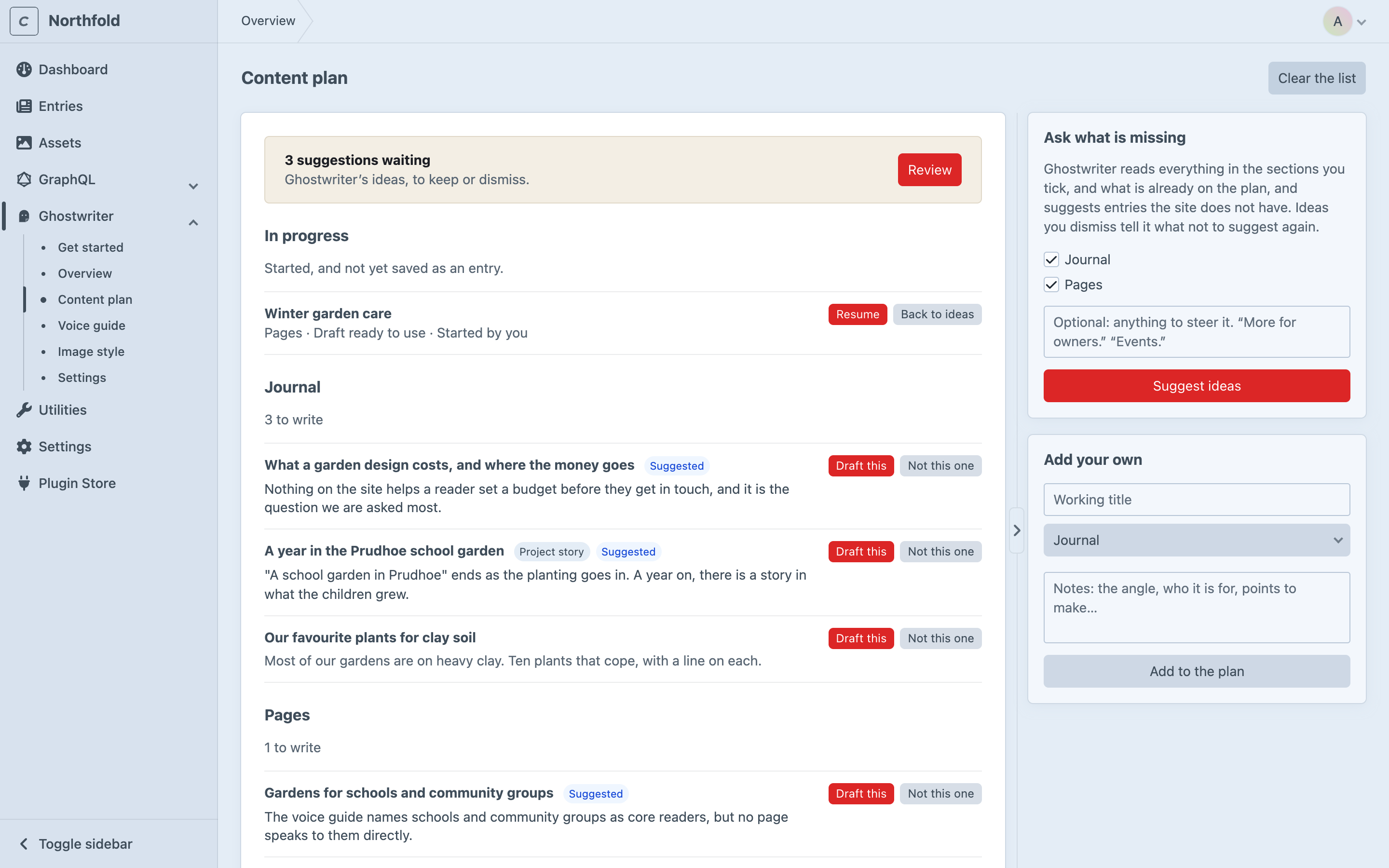
Writing an idea
Click Draft this on an idea. A new entry in that section opens with Ghostwriter open, its title and notes in the quick brief, and the brief filled in from them (one model call). Open ideas for a section are also offered in the panel itself, first, under From the content plan.
Once you start writing it (not when the entry opens), the idea moves to In progress, and Resume reopens the piece. Back to ideas returns it to the list.
A piece counts as finished once its entry is saved. A draft put into the entry but never saved stays in progress, so it can still be resumed.
Tidying up
- Not this one dismisses an idea. It moves to the finished and dismissed list, and won't be suggested again.
- Put back brings a dismissed idea back. Finished ideas can't be put back, since that would write the same piece twice; Open entry opens the entry that was written.
- Delete removes an idea completely.
- Delete all dismissed, with the finished and dismissed ideas, deletes every dismissed idea after asking. Ghostwriter then no longer knows not to suggest them.
- Clear the list, at the top of the page, removes every open idea after asking. Started and dismissed ideas stay.
Where the plan is kept
The plan is kept in the ghostwriter_documents table, one document per idea, with each environment's own plan. A batch of suggestions waiting for review is kept with Ghostwriter's working state. See Where things are kept.