
Editing an existing entry
This page covers changing an entry that already exists, in conversation with Ghostwriter. To write a new one, see Writing a new entry.
Asking for changes
Open an existing entry in a section Ghostwriter writes for, and click Edit with Ghostwriter. The button shows for people with Use Ghostwriter who may also save the entry.
The same panel opens, with the entry as the draft. It starts from the entry as you have it, including changes you've typed and not yet saved (Craft keeps those in your own draft of the entry). There is no brief: the entry is the brief. Ghostwriter says "I have the entry as it stands. Tell me what to change." Ask in plain words:
- "Tighten the introduction."
- "Rewrite this for a client who has never commissioned a garden."
- "Add a short section on maintenance before the closing paragraph."
It revises the draft and shows it on the right. There you can also change any writing where it's shown, or click Edit YAML.
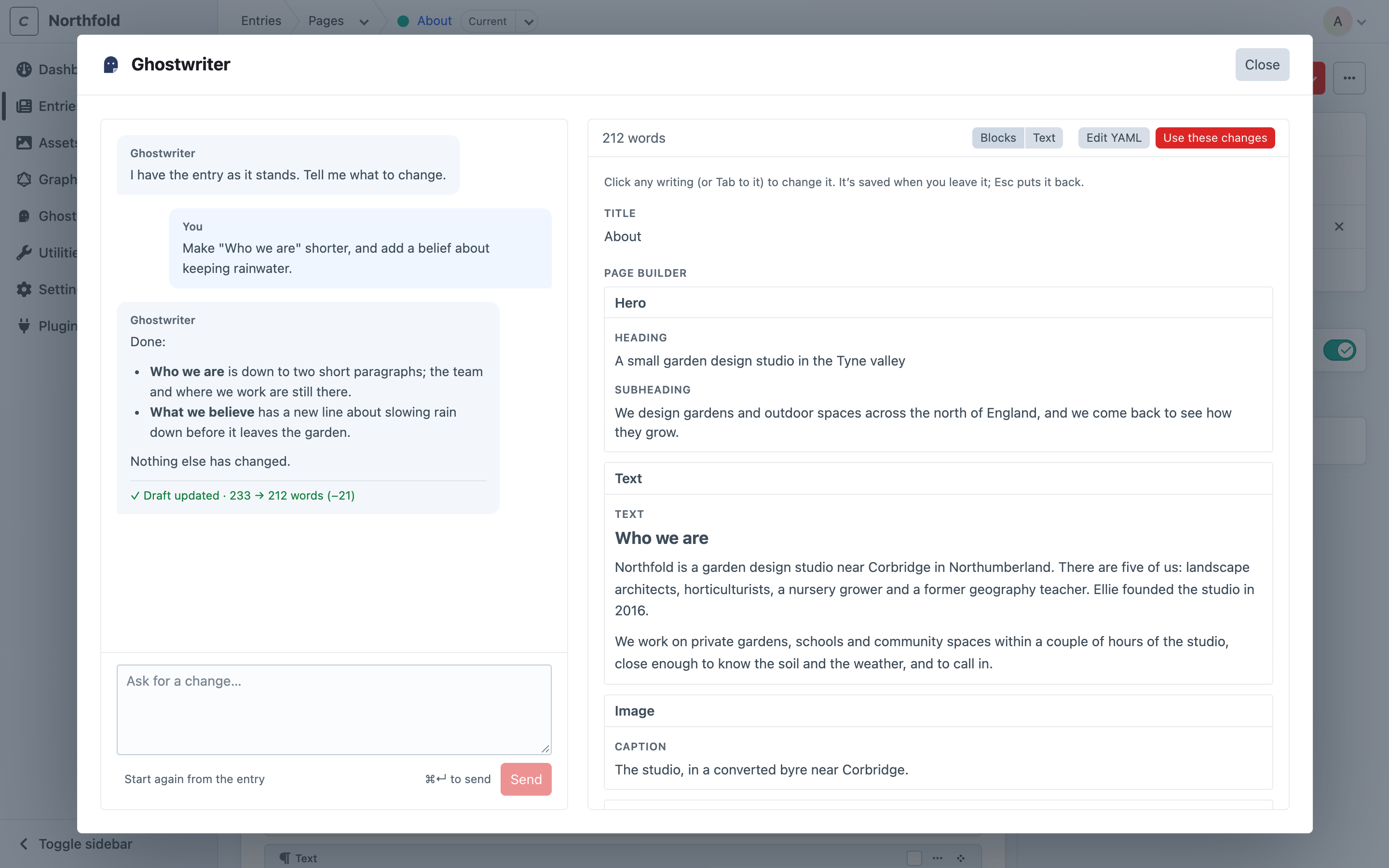
Use these changes
Use these changes puts the revised writing into your own Craft draft of the entry: the "edited, not saved" draft Craft keeps for each person. The form reloads to show it, and a notification says "Changes added to the form. Check them over, then save."
- The live entry is untouched until you save. To throw the changes away, discard your draft as usual in Craft.
- Blocks are matched by type, in order. The entry's second text block takes the draft's second text block, even if the writer moved it. Blocks you asked to add are added; blocks you asked to remove are removed.
Start again
Start again from the entry throws away the changes asked for and not yet used, and starts again from the entry as it stands. You're asked first. The conversation is kept.
Coming back
If you close the panel, or reload the page, before using the changes, they are kept. Edit with Ghostwriter picks up the same conversation.
Once changes have gone into the entry, the next Edit with Ghostwriter starts from the entry again, so anything you've changed by hand since is included.
Conversations are shared by default, so a colleague opening the entry carries on the same conversation. Each message shows who sent it.
What is not changed
Only the writing changes. Plain text, rich text, and the words inside Matrix and Neo blocks are replaced. Everything else is kept as it was:
- images
- related entries, categories and dates
- links
- choices and settings Ghostwriter wasn't asked about
- blocks that are switched off
Editing never applies house style or image placeholders. Those are for building new entries; an existing entry keeps its own.