
Permissions
This page covers who can use Ghostwriter, who can manage it, and how conversations are shared.
Using Ghostwriter
Ghostwriter adds one permission, in a role under Permissions: Write content and edit the voice guide with Ghostwriter (access ghostwriter).
People with it see Ghostwriter in the navigation (under Tools), the Write with Ghostwriter and Edit with Ghostwriter buttons, the image button on assets fields, and the dashboard widget.
Ghostwriter never lets anyone do what they couldn't do by hand:
- Putting a draft into a new entry needs Statamic's own permission to create entries in that collection, and editing an entry needs the permission to edit it.
- Saving an image into an assets field needs the permission to upload to that field's container.
Managing Ghostwriter
Managers are super users, and people with Statamic's permission to edit the addon's settings (Ghostwriter settings under the addon permissions, edit 1994/ghostwriter-statamic settings). Only they can:
- open Ghostwriter's settings (the cog on the Overview, and Settings in the navigation);
- choose collections on Get started's second step;
- hide Get started, or show it again;
- delete a piece someone else started, when conversations are shared.
Shared conversations
Every conversation is shared with everyone who has the Ghostwriter permission. Anyone can open a piece from the content plan, the Overview, the widget, the panel's Or carry on with, or the entry itself, and carry it on.
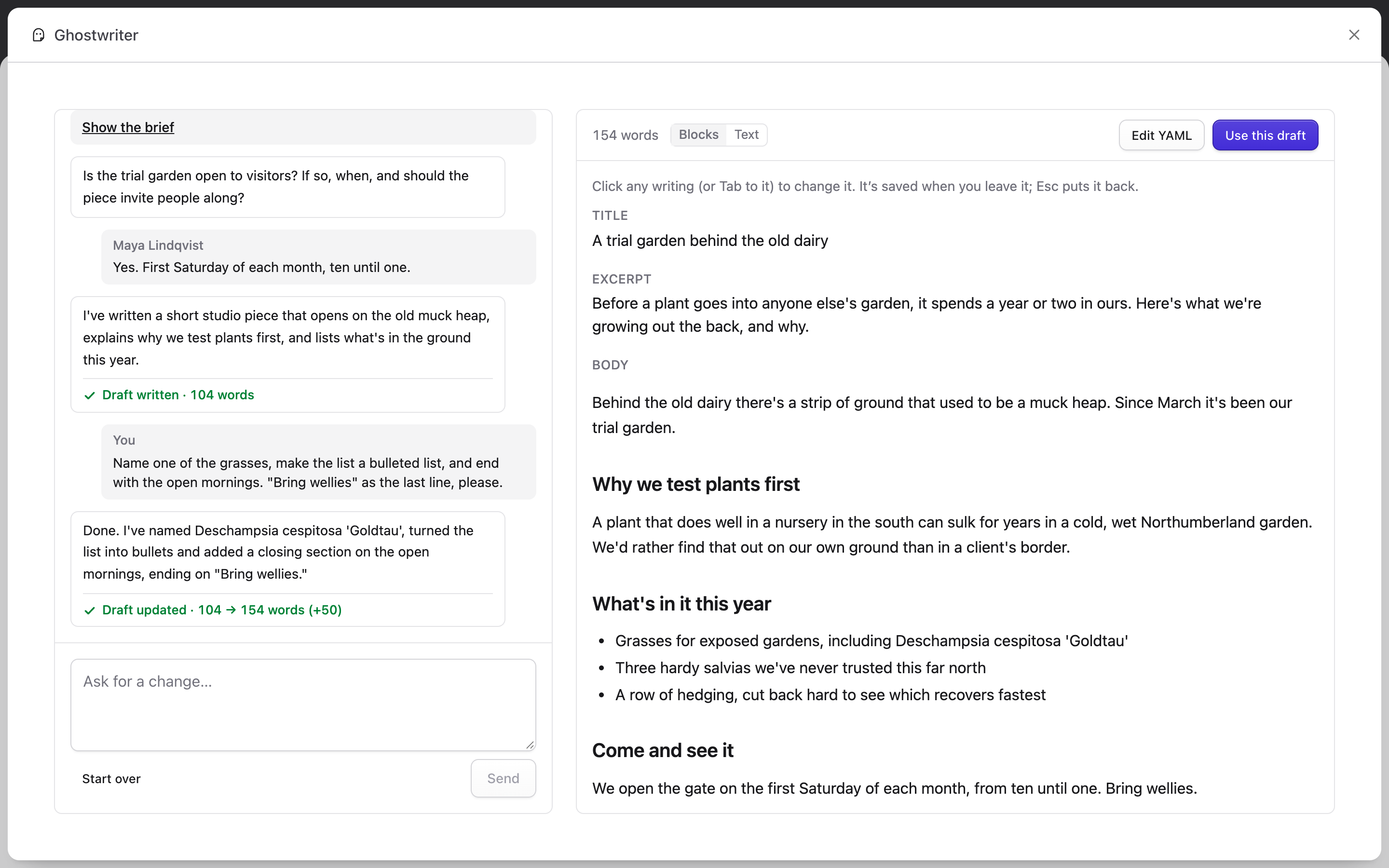
- Each message shows who sent it: You, or the person's name.
- Pieces show who started them and who changed them last, such as "Started by Maya Lindqvist · last changed by you", in Or carry on with, on the Overview and on the content plan.
- Ghostwriter answers one request at a time on a piece. While someone else's request runs, the panel says "Maya is waiting on Ghostwriter", and sending waits until it has answered.
To keep conversations private instead, set shared_conversations to false in config/ghostwriter.php, or in .env:
GHOSTWRITER_SHARED_CONVERSATIONS=false
Then a conversation belongs to whoever started it: nobody else sees it on the Overview, the widget or the plan, or can open it, super users aside.
Deleting a piece
With conversations shared, Remove is shown only to the person who started a piece and to managers. Everyone else can carry it on, but not delete it. With conversations private, you can remove your own pieces.
Removing a piece deletes its conversation and draft. An entry already saved from it isn't touched.
Next: Configuration.