
Kinds of content
This page covers kinds of content: what they are, how Ghostwriter suggests them, teaching and editing them, and where they are kept.
Every collection can be written for straight away, with a general brief. A kind is something you write often in a collection, such as a project story, a guide or a service page, with a brief of its own:
- questions asked before anything is written, about the facts that can't be invented;
- guidance for the writer: who the reader is, what each part does and in what order, how long it runs;
- a checklist of things that must be true of a finished draft;
- examples: entries the kind is modelled on, for structure, length and how blocks are used.
Suggested kinds
Ghostwriter looks at a collection's entries (their titles, how they are built, how they open) and suggests the kinds of content in it.
- It looks by itself only on Get started: the first time a collection is seen there, and again once ten or more entries have been published since. A collection needs at least two published entries. Each look is one model call. Turn it off with Suggest kinds of content in the settings.
- Everywhere else, kinds are suggested only when someone asks: Suggest kinds in a collection's Kinds menu on the Overview, or Suggest kinds everywhere above the collections, shown when there is more than one.
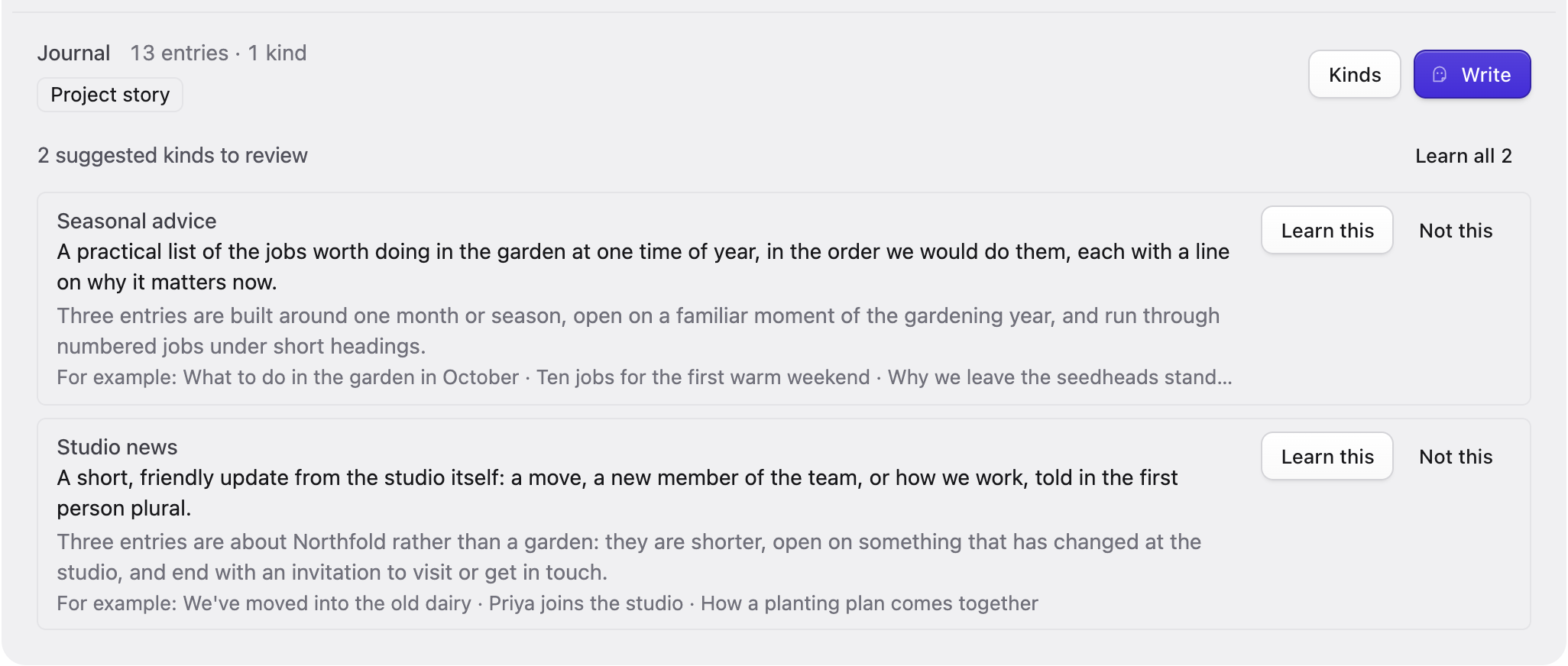
Suggestions appear under the collection as N suggested kinds to review. Each card shows the kind's name and description, why it is worth teaching, and For example: up to three of the entries it was found in. Then:
- Learn this writes the brief for that kind from the entries it was suggested from. It takes about a minute. The Overview says "Learning. The new kind appears here in a minute or so." and the collection's row shows the progress. If it fails, the reason stays under the collection until the next try.
- Not this dismisses it. Dismissed kinds aren't suggested again.
- Learn all N asks first ("This takes about a minute each."), then learns every suggestion in the collection, one after another.
Teaching a kind yourself
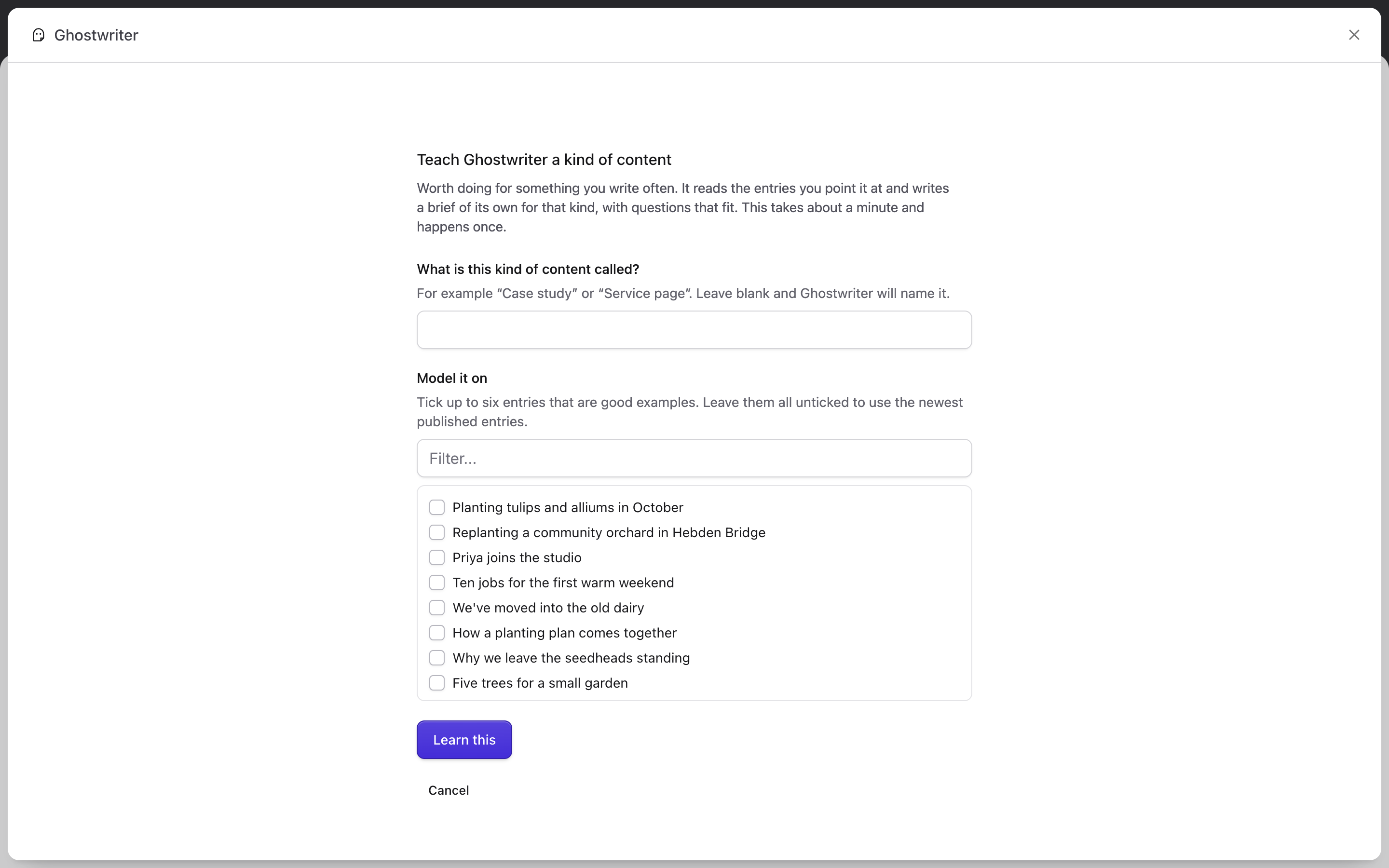
Teach a kind, in a collection's Kinds menu on the Overview or on What are you writing? in the panel, teaches one by hand:
- What is this kind of content called? For example "Case study". Leave it blank and Ghostwriter names it.
- Model it on: tick up to six entries that are good examples, or leave them unticked to use the newest published entries.
Learn this starts it. Ghostwriter reads the entries, about a minute, and writes the questions, guidance and checklist from them. The new kind appears on the Overview when it is done. Two kinds with the same name get their own handles (event, event-2); nothing is overwritten.
Editing a kind
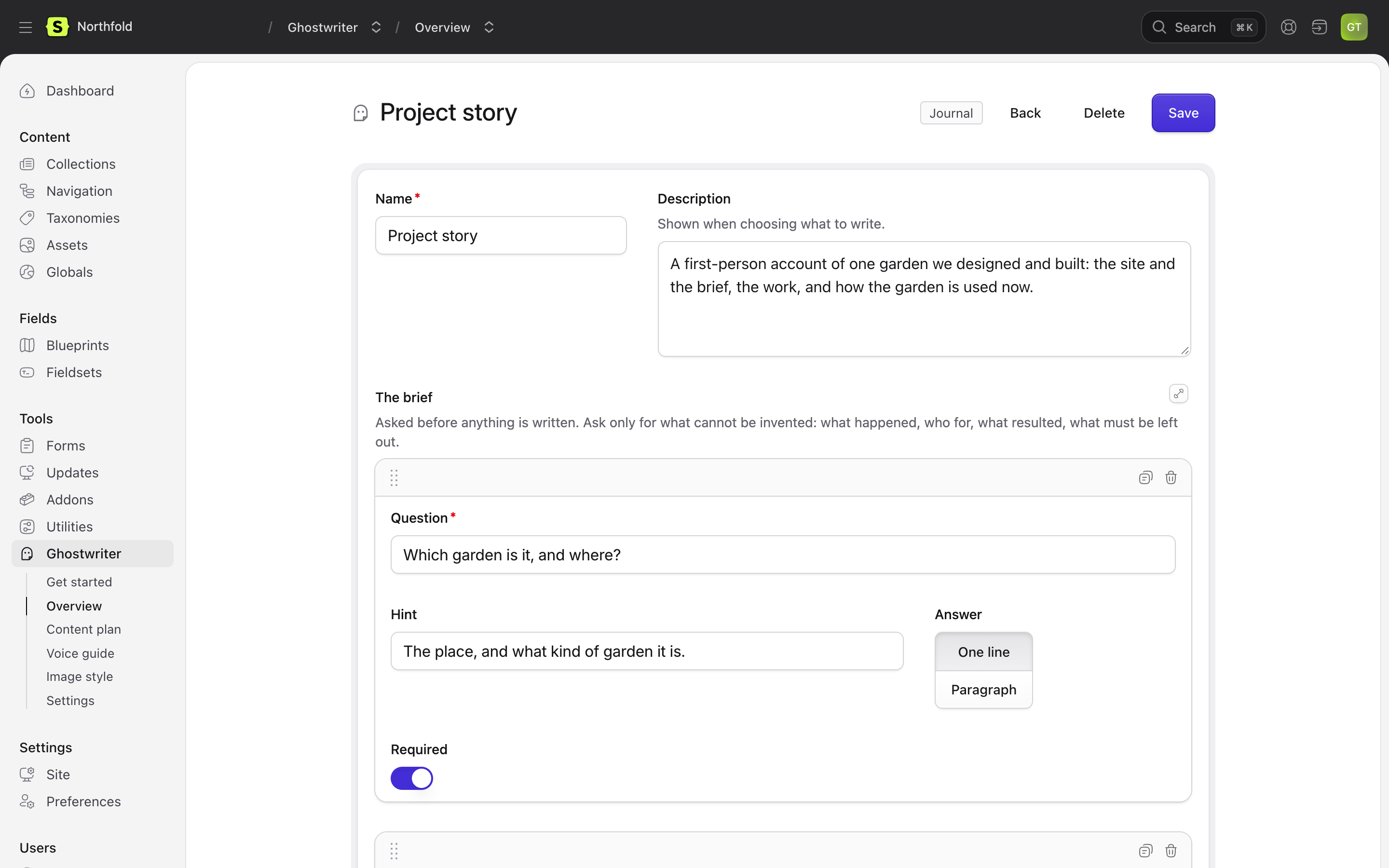
Click a kind on the Overview to open it. You can change:
- Name and Description (shown when choosing what to write).
- The brief: the questions. Each has a Question, a Hint, an Answer length (One line or Paragraph) and whether it is Required. Ask only for what can't be invented: what happened, who for, what resulted, what must be left out. A kind needs at least one question.
- Guidance for the writer, in markdown. The fields themselves are read from the blueprint, so the guidance doesn't need to list them.
- Check before handing over: short statements that must be true of a finished draft.
- Modelled on: the example entries.
Save keeps the changes. Delete asks first, then removes the kind and says Kind deleted; entries already written with it aren't affected.
Something like what is already here, on What are you writing?, is different: those are groups Ghostwriter finds by how entries are built, without teaching, and they aren't edited here.
When a blueprint changes
A kind doesn't store the fields. Ghostwriter reads the blueprint every time it writes, so a field added or removed is picked up straight away. If the change makes a kind's guidance wrong (a block it mentions is gone, say), edit the guidance, or delete the kind and teach it again.
Where kinds are kept
Each kind is a YAML file in resources/ghostwriter/types/, so it can be versioned with your project and edited by hand:
title: Case study
description: Tells one project from start to finish.
collection: case_studies
blueprint: case_study          # optional, for collections with several
examples: [entry-id, ...]      # optional: model the kind on these entries
where: { categories: guides }  # optional: learn only from entries matching this
defaults: { categories: [guides] }   # optional: entry data set on everything written
questions:
  - handle: client
    label: Who is the client?
    type: text                 # text (One line) or textarea (Paragraph)
    required: true
guidance: |
  Markdown: who the reader is, what each part does and in what order, how long it runs.
checklist:
  - The result states only outcomes given in the brief.
A question's handle is made from its wording, and kept when you reword it; to set one yourself, edit the file.
Next: Images.