
Get started
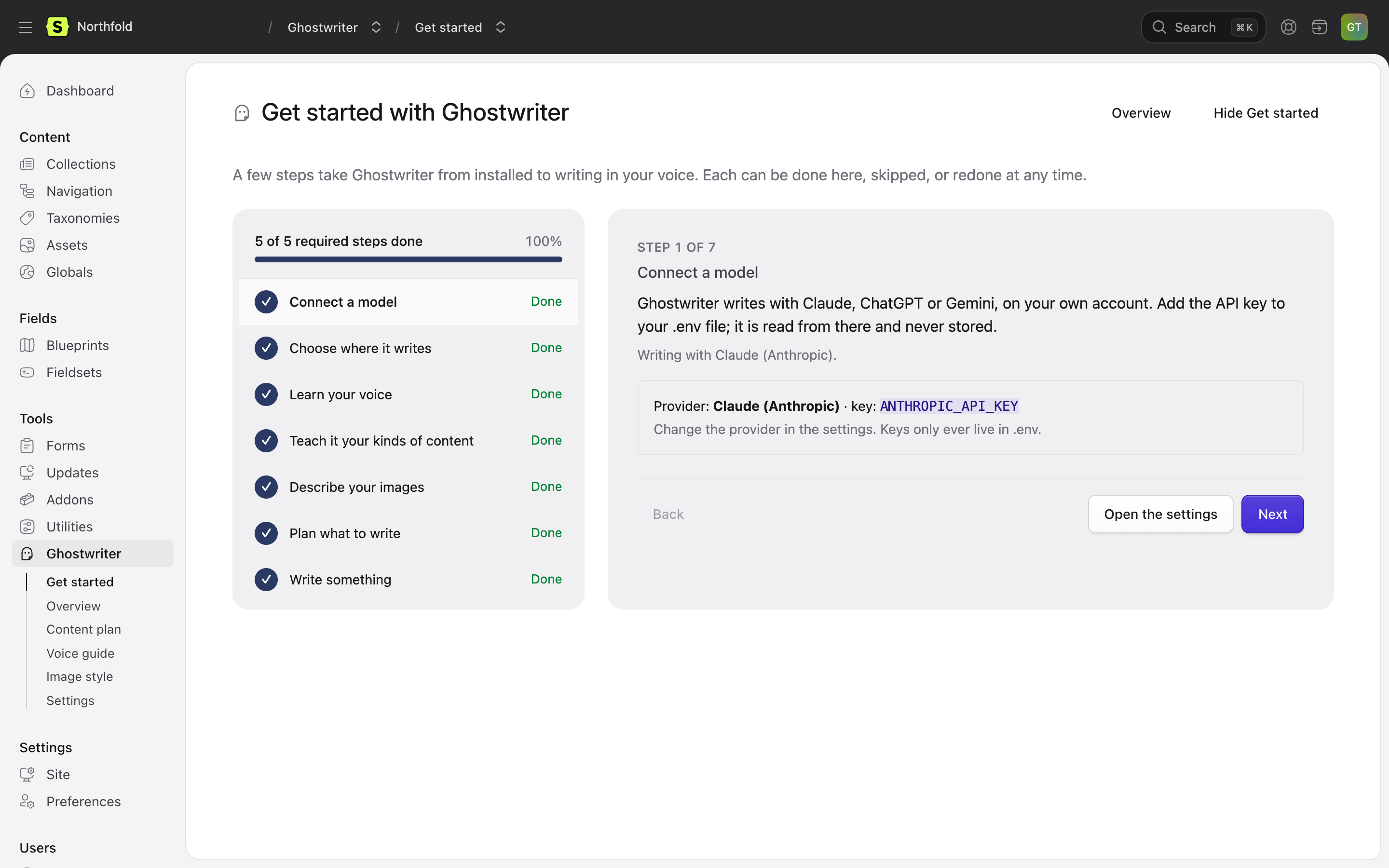
Ghostwriter → Get started is a wizard of seven steps that takes Ghostwriter from installed to writing in your voice. It stays in the navigation until it is hidden.
The list on the left shows each step as Done, To do, Optional or Working…, under a bar such as "5 of 5 required steps done". Only the five required steps count; the two optional ones don't hold the bar back. The page opens on the first required step still to do. Click any step to go straight to it: the address changes to #step-3 and so on, so a step can be linked to. Next, Skip and Back move between steps, and every step can be redone later.
A model call (writing a guide, looking over a collection) runs in the background. You can leave the page while it works.
1. Connect a model
Shows which provider Ghostwriter writes with, such as "Writing with Claude (Anthropic).", and the key it reads. If the key isn't set, add it to .env and reload the page. If another provider's key is set instead, it says so. See API keys.
2. Choose where it writes
The collections Ghostwriter writes for, and the ones it reads to learn your voice. Only the collections it writes for get the Write with Ghostwriter button.
If you may change Ghostwriter's settings, choose them right here: tick Write for it and Learn the voice from it for each collection, then Save these collections. Ticking every collection means all of them, including any added later. A list set in config/ghostwriter.php can't be changed here, and the step says so. Everyone else sees which collections are chosen.
3. Learn your voice
Write the voice guide. Ghostwriter reads the newest published entries in the chosen collections and writes a voice guide. Read it, and correct anything that isn't right. Everything Ghostwriter writes follows it.
Without a voice guide, Ghostwriter still writes, but in a plain voice rather than yours.
4. Teach it your kinds of content
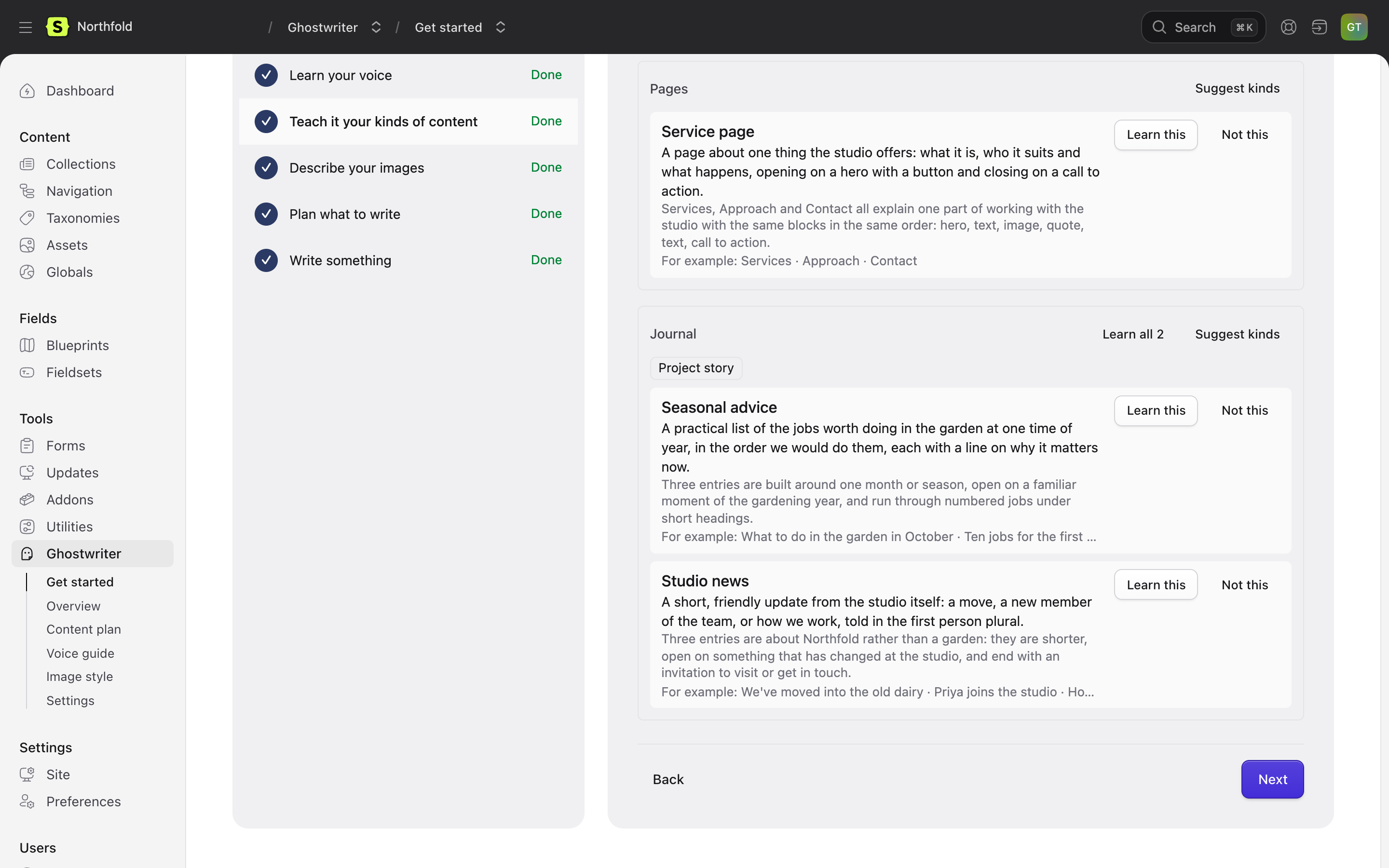
When Get started opens, Ghostwriter looks over each collection it hasn't looked at yet, or that has had ten or more entries published since, and suggests the kinds of content in it, such as "Case study" or "Service page". A collection needs at least two published entries to look over.
This is the only place kinds are suggested by themselves. Everywhere else, they wait for someone to click Suggest kinds or Suggest kinds everywhere, so no model call happens without someone asking. Turn the automatic look off with Suggest kinds of content in the settings.
Each suggestion shows what the kind is, why it's worth teaching, and a few of the entries it was found in. Learn this on the ones you write often; each gets its own brief. Not this dismisses one. Learn all N asks first, then learns every suggestion in a collection, one after another. See Kinds of content.
Every collection can be written for without this step; it then uses a general brief.
5. Describe your images (optional)
Describe the images. Ghostwriter looks at the pictures your entries use and writes an image style guide, so the photos it finds and the images it makes belong beside them. A collection needs at least three images to describe.
6. Plan what to write (optional)
Suggest ideas. Ghostwriter reads the site and suggests entries it is missing. Keep the good ones on the content plan.
7. Write something
Pick a collection and start a new entry with Ghostwriter beside it. See Writing a new entry. Finish takes you to the Overview.
Finishing and hiding Get started
Once the required steps are done, the Overview shows a one-line You’re set up. until Get started is hidden. Hiding it hides it for everyone, so only someone who may change Ghostwriter's settings can do it:
- Hide Get started on the Get started page or the Overview (or Hide on the Overview's progress card) removes it from the navigation and the Overview.
- Show Get started at the foot of the Overview brings it back. So does turning on Show Get started in the settings and saving; that setting acts once and isn't stored.
Next: API keys.